



Set up a hub
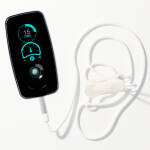
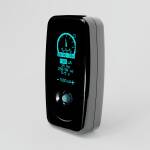
Plug it in next to your bed. Its screen says what it needs, and your phone does the typing.
Moving a hub that is already set up to another Wi-Fi? Unplug it and plug it back in three times, waiting for its screen to light each time. It then shows the code to scan.
On an iPhone or iPad use the phone camera: Safari can't use Bluetooth or USB.
- Plug it in where it will live
Use a USB wall charger by your bed. In a few seconds its screen shows a square code and Scan with your phone. If the screen is dark, unplug it and plug it back in.
- Scan the code to join the hub
Open your phone camera, point it at the screen and tap Join. Your phone joins the hub's own small Wi-Fi network. The code carries a one-time password, so only someone in the room can do this. Your phone may say the network has no internet: that's expected.
- Open the setup page
An iPhone opens it by itself. On Android, tap Sign in to Wi-Fi network when your phone shows it. If neither happens, the hub's screen shows a second code: scan that one too.
- Pick your Wi-Fi and type the password
The list shows the networks the hub can see from where it sits. Your password goes from your phone straight to the hub over its own encrypted Wi-Fi, never over the internet.
- The hub tries it
Your phone may lose the page for a few seconds while the hub switches channel; the page reconnects and shows the result. If it doesn't work, the page and the hub's screen say why, so you can fix it and try again.
- Add it to your account
Your phone goes back to your own Wi-Fi by itself. Scan the new code on the hub's screen: it opens this page and adds the hub to your account while you are signed in. Or type its six digits further down this page.
- Done
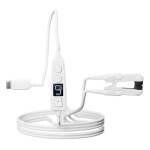
It finds your ring and stimulator by itself. Wear the ring tonight.
- Plug it in where it will live
Use a USB wall charger by your bed. Its screen shows a square code; for Bluetooth you can leave it.
- Connect to it
Press Connect over Bluetooth and pick Vagal Hub from the list.
- Pick your Wi-Fi
Choose it from the networks the hub can see and type its password. The hub tries it while you watch.
- Done
It links to your account because you are signed in here, then finds your ring and stimulator by itself.
- Plug it into this computer
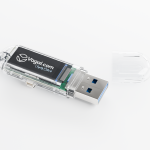
Any USB port. Its screen shows a square code; for USB you can leave it.
- Pick it from the list
Press Connect over USB and choose the hub.
- Pick your Wi-Fi
Type your Wi-Fi name and password. It links to your account because you are signed in here.
- Move it next to your bed
Plug it into a wall charger by your bed. It joins your Wi-Fi again by itself.


Hub already on Wi-Fi?
If its screen shows six digits, scan the code above them with your phone camera, or type them here. You don't need its ID.