We’ve worked hard to make your tVNS Stimulator as easy and intuitive as possible to use. So you should have no problems if you follow the on-screen instructions.
Press to Turn On
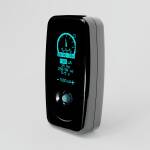
Press the blue 5 way joystick to turn on the stimulator.
Insert The Ear Clip jack to the stimulator
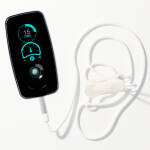
Disconnect the charging cable and connect the ear clip jack.
Apply Paste to Electrodes
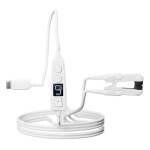
Apply a smudge of paste to both electrodes in the ear clip. The paste reduces the electrical resistance of the skin and makes the stimulation more comfortable.
Clip to Your Ear
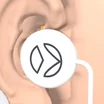
Ensure a nice deep connection on the tragus region of your left ear. It helps to take the cable up, over and behind your ear for support.
Depending on the size of your ear you may need to use a mirror to find a stable fit.
Press the blue button to start
When you are ready to start the 15 minute session, press the blue button to start.
You will see the timer start to count down and you may feel a tingling on your ear.
Find Your Comfort Level using up and down
Use Right to increase the intensity level.
Use Left to decrease the intensity level.
Press the blue button to pause a session.
Pause a Session
You can pause the session by pressing the blue button. The recommended stimulation per day is 15 minutes but this can be split up across a few separate stimulation sessions.
Pause a session by pressing the blue button.
Automatic Power Off
There is no OFF button. The device will automatically turn off after 45 seconds of inactivity.





 ›
Join our HRV Study
›
›
Join our HRV Study
›