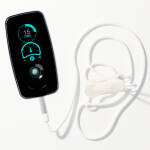
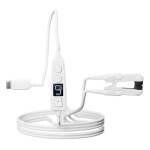
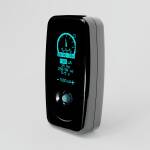





If you've been following along with our firmware releases, you've seen how we continuously refine and improve your device. Let's talk about why these updates matter and how to make sure you're getting the most from your device.
More Than Just Bug Fixes
Each firmware update we release does more than patch problems - it evolves your device's capabilities. From the initial 6.0 release to today's 6.9 version, we've added new features like EverSteady Pulse+, enhanced battery monitoring, duty cycle control, and dozens of refinements that make the device more intuitive and reliable.
Your device today is significantly more capable than the day it launched, and it will keep getting better.
How to Update
Keeping your firmware current is simple. Your companion app will notify you when updates are available. The process typically takes just a few minutes, and your device will guide you through it. We recommend updating when you're not planning to use the device immediately - maybe in the evening or during a break.
After updating to version 6.9, reconnections are smoother than ever thanks to automatic service discovery updates.
What We're Focused On
Every update reflects what we're learning from users like you. We're constantly working on: improving battery efficiency and monitoring, refining LED feedback so you always know what's happening, enhancing precision and reliability in core functions, adding features that give you more control, and eliminating minor annoyances before they become major ones.
Looking Ahead
We're committed to regular updates that make your device better over time. The remote command system introduced in 6.9 is just the beginning - it lays groundwork for more sophisticated app control in future releases.
Got feedback about what you'd like to see in future updates? We're listening. Your experience guides our development priorities.
Check your companion app today to make sure you're running the latest firmware and getting the best possible experience from your device.
Why does the app show my device still having firmware version 5.4 when I thought the latest update was 6.9??? I updated through the app only a week or two ago.
5.X is for tVNS Stimulator. 6.X is for Vagal Oh!
The latest of each is 5.24 and 6.10